If you’re planning a family trip to Japan, you’ve probably thought about flights, hotels, rail passes, and which ramen shops to visit. But there’s one thing that often gets overlooked until you’re already there: internet access.
Japan is a wonderful destination for families. The trains run on time, the food is incredible even for picky eaters, and there’s something for every age group—from Pokémon stores in Tokyo to deer parks in Nara. But staying connected while you’re on the move takes a little planning, especially when kids are involved.
This article covers what you need to know about using Wi-Fi in Japan with your family, the small risks most people don’t think about, and a few practical tools—including a VPN—that can make the whole experience smoother.
The Reality of Getting Online in Japan with Kids
Japan has plenty of free Wi-Fi, especially in airports, train stations, convenience stores, hotels, and shopping centers. At first glance, it seems like connectivity won’t be an issue at all.
But once you’re traveling with children, the picture changes a little.
Your kids will probably want to watch something on their tablets during a long Shinkansen ride. You’ll want to pull up Google Maps to find the nearest family-friendly restaurant. Maybe you need to video-call grandparents back home to show them the view from your ryokan. All of that requires a stable, reliable connection.
Most families rely on a combination of pocket Wi-Fi, local SIM cards, and free public hotspots. The pocket Wi-Fi and SIM options are great for mobile data, but they can have speed limits or coverage gaps in rural areas. Free Wi-Fi fills the gaps—but it comes with some things worth knowing.
What Free Wi-Fi in Japan Actually Looks Like
Japan’s free Wi-Fi has improved a lot in recent years, but it can still be a mixed experience. Some networks require registration with an email address. Others disconnect after 30 minutes and require you to reconnect. And in busy tourist areas, speeds can slow to a crawl when everyone’s connected at the same time.
For families, the bigger consideration isn’t just speed—it’s what happens behind the scenes when you connect to a public network.
A Quick Word on Public Wi-Fi and Privacy
This isn’t meant to scare anyone. Millions of people use public Wi-Fi every day without any issues. But it’s worth understanding the basics so you can make informed choices.
When you connect to a public Wi-Fi network—whether it’s at Narita Airport, a hotel lobby, or a café in Kyoto—your device is joining a shared network. In simple terms, that means data traveling between your device and the internet passes through that network, and on unsecured networks, it’s theoretically possible for others on the same network to see some of that traffic.
For most casual browsing on secure (HTTPS) websites, this isn’t a practical concern. But if you’re logging into accounts, making payments, or if your child is using apps that might not have the strongest security, it’s something to be aware of.
💡 Key Takeaway
Public Wi-Fi is convenient, but it’s a shared space. A little awareness goes a long way—especially when your kids are connected too.
The good news is that there’s a straightforward way to add an extra layer of privacy when your family is using public networks. That’s where a VPN comes in.
What Is a VPN? (A Simple Explanation for Non-Tech Parents)
VPN stands for Virtual Private Network, but don’t worry about the technical name. Here’s what it actually does:
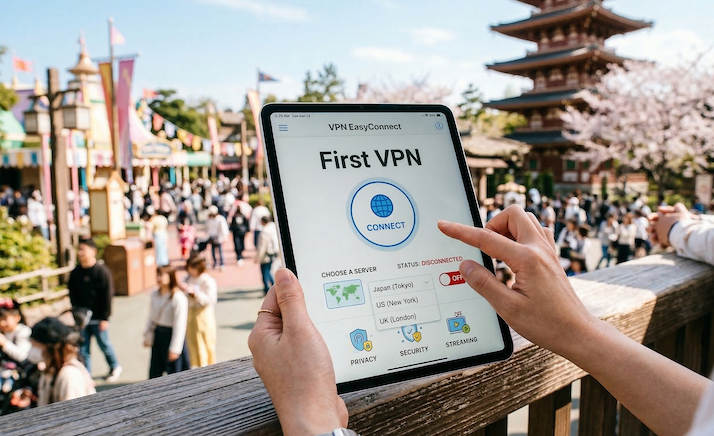
Think of a VPN as a private tunnel for your internet connection. When you turn it on, all the data going to and from your device gets wrapped in an extra layer of encryption. Even if someone on the same Wi-Fi network tried to peek at your traffic, they’d only see scrambled data.
It also lets you appear as though you’re browsing from a different location. So if you’re in Osaka but want to access something back home—like your usual streaming library—a VPN can help with that.
That’s essentially it. No complicated setup, no special hardware. Just an app you install on your phone, tablet, or laptop.
💡 Tip
A VPN works on top of your existing connection—whether you’re on hotel Wi-Fi, a pocket Wi-Fi device, or a local SIM. You don’t need to change anything about how you get online.
How a VPN Can Be Genuinely Useful When Traveling with Family
Before we get into specific products, let’s look at the practical reasons a VPN for families traveling abroad can actually come in handy. These aren’t hypothetical scenarios—they’re things that come up on real trips.
1. Keeping Public Wi-Fi a Little More Private
Whether you’re checking your bank balance at a hotel or your teenager is logging into social media at a café, a VPN encrypts that connection. It’s a simple step that adds peace of mind when you’re on networks you don’t control.
2. Accessing Your Home-Country Streaming Content
This is a big one for families. Long travel days mean downtime, and downtime means kids want their shows. But streaming libraries change based on your location. That show your toddler watches every morning? It might not be available in Japan.
A VPN lets you connect through a server in your home country so your streaming apps behave as if you’re still at home. No tears, no tantrums, no last-minute scramble to find a replacement show.
3. Keeping Your Kids’ Devices Safer
When you hand a tablet to your child at a restaurant so you can enjoy your meal in peace (no judgment—we’ve all been there), that device is connecting to whatever network is available. A VPN running in the background means their browsing and app usage gets the same encryption as yours.
It’s especially worth considering for kids tablet security while traveling, since younger kids tend to tap on things without much thought.
4. Avoiding Price Differences on Bookings
Some travel and booking websites show different prices depending on where you’re browsing from. With a VPN, you can compare prices from different regions to see if you’re getting the best deal on hotels, activities, or internal flights.
5. Staying Connected to Home Services
Some online banking platforms, email services, or work tools might flag logins from unfamiliar locations or restrict access entirely. Connecting through your home country’s VPN server can help avoid those lockouts during your trip.
💡 Key Takeaway
A VPN for traveling isn’t just about security. It solves everyday inconveniences like streaming access, booking prices, and account lockouts.
Best VPNs for Traveling Abroad: What to Look For
Not all VPNs are created equal, and when you’re choosing one for family travel, there are a few things that matter more than others:
Speed and Reliability
You don’t want a VPN that slows everything to a halt. Look for providers with a large server network and a reputation for maintaining good speeds, especially for streaming.
Ease of Use
If you’re setting this up on multiple family devices—including your kids’ tablets—the app needs to be simple. One-tap connect is ideal.
Number of Simultaneous Connections
A family of four might have six or more devices between them. Make sure the VPN allows enough connections on a single account.
Server Locations
If you want to access content from your home country, the VPN needs to have servers there. A wide range of server locations also means better performance no matter where you are.
Privacy and Trust
Look for a provider with a clear no-logs policy and a track record of independent audits. You’re trusting this service with your family’s internet traffic, so reputation matters.
A Quick Comparison of Popular VPN Options for Travelers
Here’s a general overview of some well-known VPN services that are commonly recommended for travel:
NordVPN — Large server network (6,000+ servers in 111 countries), strong speeds, up to 10 simultaneous connections, and a well-regarded no-logs policy backed by independent audits. Known for reliability with streaming services. One of the best VPNs for traveling abroad overall.
【Insert Affiliate Link Here】
ExpressVPN — Another popular choice with servers in 105 countries. Known for fast speeds and user-friendly apps. Allows 8 simultaneous connections.
Surfshark — A budget-friendly option that offers unlimited simultaneous connections, which is appealing for larger families. Solid speed and a growing server network.
ProtonVPN — Swiss-based, with a strong emphasis on privacy. Offers a free tier with limited features, which can be useful for testing before a trip.
All of these are solid options, but for this article we’ll focus on NordVPN, as it tends to hit the sweet spot for families: reliable speeds, generous device limits, easy-to-use apps, and consistent performance for streaming—which, let’s be honest, is what matters most when you’re traveling with kids.
Why NordVPN Works Well for Families Visiting Japan
We came across NordVPN while planning our own family trip, and it ended up being one of those things we were glad to have set up in advance. Here’s what stood out:
It’s Genuinely Easy to Use
The app is straightforward. Download it, log in, pick a server location (or just hit the quick-connect button), and you’re done. It took about two minutes to set up on each device. If your teenager can install TikTok, they can handle this.
Up to 10 Devices on One Account
This was a practical selling point for us. Two parents’ phones, a laptop, and the kids’ tablets—all covered under one subscription. You don’t need separate accounts for everyone.
Reliable Streaming Access
The kids could watch their usual shows during downtime at the hotel, and we could catch up on our own series after they went to bed. NordVPN’s servers were consistently fast enough that buffering wasn’t an issue.
Large Server Network
With over 6,000 servers in 111 countries, there’s almost always a fast connection available. If you need a server in the US, UK, Australia, or wherever home is, it’s there.
Threat Protection Features
NordVPN includes built-in features that help block ads, trackers, and known malicious websites. This is especially handy when kids are browsing—it adds a small but meaningful layer of filtering without needing a separate app.
VPN on Hotel Wi-Fi
One of the places we used it most was on hotel Wi-Fi. Japanese hotels often have shared networks, and having a VPN running meant we didn’t need to worry about what was happening on the backend. It was a simple set-and-forget situation.
【Insert Affiliate Link Here】
💡 Tip
Set up NordVPN on all your family’s devices before you leave home. It’s much easier to do this on your own network rather than troubleshooting at the airport.
Practical Scenarios: How Our Family Actually Used a VPN in Japan
Here are some specific situations where having a VPN made a noticeable difference during our trip:
At the Airport (Before the Trip Even Started)
Waiting at the departure gate with two kids is an exercise in patience. They connected to the airport Wi-Fi, we turned on the VPN, and they watched their favorite shows while we handled last-minute logistics. Simple.
On the Shinkansen
The bullet train offers free Wi-Fi on some routes, but it can be slow. We used our pocket Wi-Fi with the VPN for an added layer of privacy, and the kids streamed without issues. The three-hour ride from Tokyo to Kyoto went by peacefully.
At Restaurants
Japanese family restaurants (like Gusto or Saizeriya) sometimes have free Wi-Fi. When we handed a tablet to the younger one to keep them occupied while we ordered, the VPN was already running. No extra steps.
At the Hotel in the Evening
After a full day of exploring, everyone retreated to their screens. The kids watched their shows. We caught up on news and streaming. All on the hotel’s shared Wi-Fi, all through the VPN. It just ran quietly in the background.
Accessing Home Banking
We needed to check something on our bank’s website, and connecting through a home-country server meant no security alerts or lockouts. Small thing, but it saved some frustration.
When the Kids Wandered the App Store
Kids love browsing for new games and apps, and sometimes they end up on unfamiliar sites or tapping on ad links. With NordVPN’s threat protection running, some of the more questionable links were blocked before they could load. It’s not a replacement for parental supervision, but it’s a nice safety net.
Setting Up NordVPN for Your Family Trip: A Quick Guide
If you decide to give it a try, here’s a simple setup process:
Step 1: Sign up for a NordVPN plan. 【Insert Affiliate Link Here】 The 1-year or 2-year plans offer better value than monthly billing. Look out for family-friendly deals—they often run promotions.
Step 2: Download the app on each device your family will use. It’s available for iOS, Android, Windows, and Mac.
Step 3: Log in on each device and test the connection. Try connecting to your home country’s server and make sure streaming works.
Step 4: Enable auto-connect. This way, whenever a device joins a Wi-Fi network, the VPN activates automatically. Perfect for kids’ devices where you don’t want to rely on them remembering to turn it on.
Step 5: Turn on Threat Protection in the app settings. It adds an extra layer of filtering for ads and malicious sites.
💡 Tip
Do all of this at home before your trip. You’ll want to sort out any login or connection issues while you still have your regular internet access.
What a VPN Won’t Do (Being Honest)
In the interest of balance, here are a few things to keep in mind:
It’s not a replacement for parental controls. A VPN encrypts your connection, but it doesn’t filter content the way dedicated parental control apps do. If your kids need content restrictions, use both.
It can occasionally slow things down. Because your data is routed through an extra server, there can be a slight speed reduction. In practice, with NordVPN, we rarely noticed this—but it’s worth mentioning.
Some services try to block VPNs. A few streaming platforms actively detect and block VPN connections. NordVPN handles this well in our experience, but occasional hiccups can happen.
It doesn’t make you anonymous. A VPN improves your privacy, but it’s not an invisibility cloak. Your VPN provider can still see your traffic (which is why a no-logs policy matters), and websites can track you through cookies and logins.
Other Tips for Staying Connected in Japan with Kids
A VPN is just one piece of the puzzle. Here are some other practical tips for keeping your family online during a Japan trip:
Rent a pocket Wi-Fi device. You can pick these up at the airport. They give you a portable hotspot that all your devices can connect to. Pair it with a VPN for the best combination of convenience and privacy.
Download offline content before you go. Most streaming apps let you download episodes for offline viewing. Do this at home over your regular connection so you’re not dependent on Wi-Fi for entertainment.
Download offline maps. Google Maps lets you download areas for offline use. Japan’s cities are easy to navigate, but having offline maps as backup is reassuring.
Bring portable chargers. Between phones, tablets, a pocket Wi-Fi, and a VPN running in the background, battery life goes fast. A couple of good portable chargers are essential.
Learn a few useful Japanese phrases. Translation apps work great, but knowing basics like “sumimasen” (excuse me) and “arigatou gozaimasu” (thank you) goes a long way—and your kids will love using them.
Wrapping Up: A Small Step for a Smoother Family Trip
Traveling to Japan with kids is one of those experiences that stays with you. The culture, the food, the efficiency of everything—it’s a fantastic destination for families of all shapes and sizes.
Staying connected while you’re there doesn’t have to be stressful. A combination of a pocket Wi-Fi or SIM, some offline downloads, and a VPN like NordVPN covers most of what you’ll need. It’s not about being paranoid—it’s about being prepared.
NordVPN was one of those quiet, background tools that we were glad to have on our trip. It kept the kids’ streaming working, kept our connections private on shared networks, and didn’t require any fiddling once it was set up. For what it costs, it felt like a reasonable addition to the travel toolkit.
Safe travels, and enjoy Japan with your family.
💡 Final Key Takeaway
Set up your VPN before you leave, enable auto-connect on all devices, and download offline content as backup. These three small steps will keep your family connected and comfortable throughout your Japan adventure.